
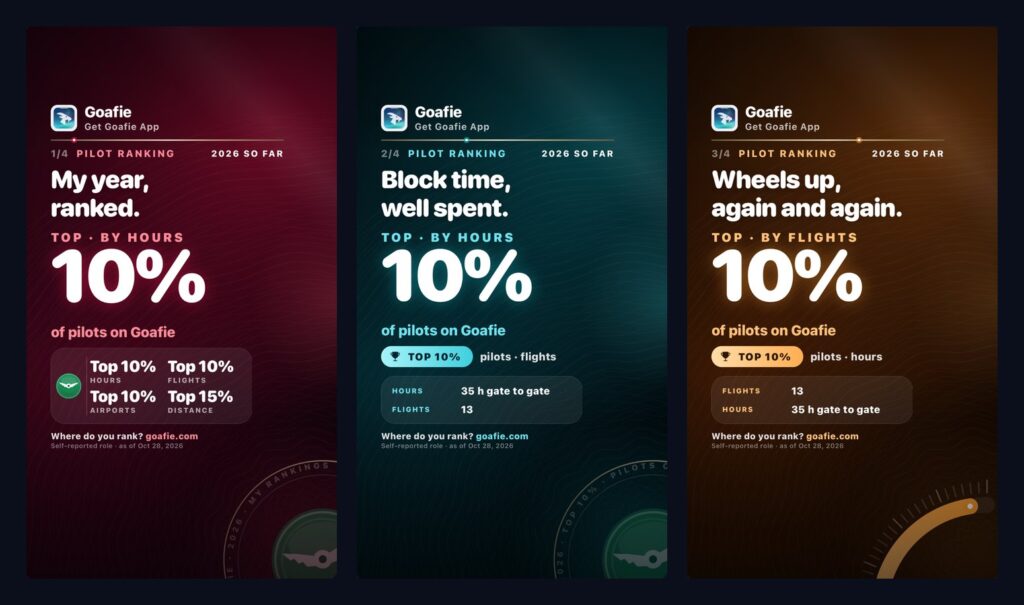
TL;DR: Rankings landed in Goafie 1.10.28. Open My Travelogue, tap your Status tier card, and you will see how your year compares with people who fly like you, for example “Top 10% of pilots on Goafie” by block hours. It is anonymous by design: nobody sees your totals, your rank or your name next to anyone else’s. If you want to show it off, you can turn it into story cards for Instagram and TikTok.
A rank that belongs to you
Most leaderboards work by listing names and numbers. This one does the opposite. Goafie shows you a single claim about your own year, such as “Top 10% of pilots on Goafie, by hours,” and keeps everyone else off the page.
Other members never see your name, your totals or your rank, and you never see theirs. The only thing that is ever published is a set of anonymous cut-offs, and we will get to those below.
How do you fly?
Once, soon after you update or sign up, a short sheet asks how you fly: pilot, cabin crew or traveller. Traveller is pre-selected, and you can skip the question. Everyone is a traveller until they say otherwise.
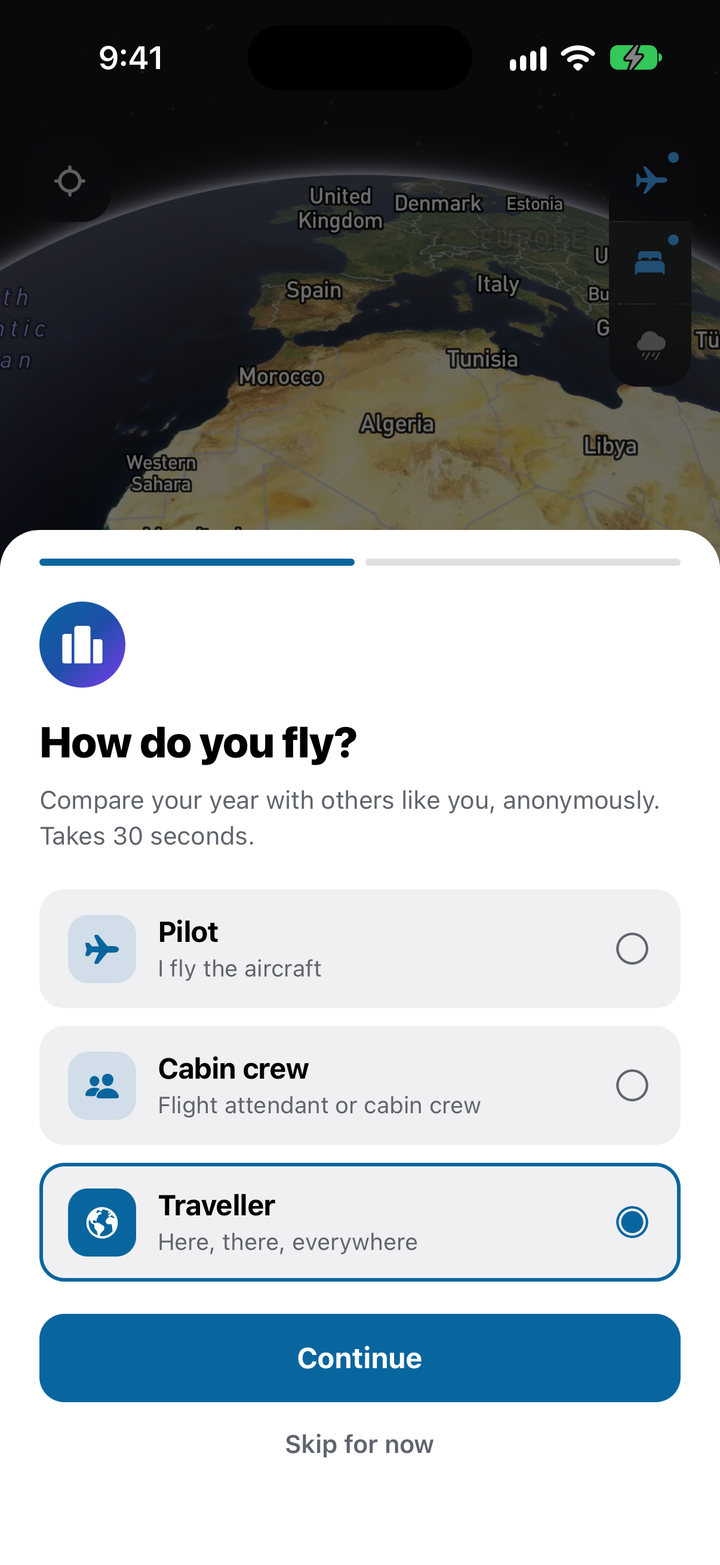
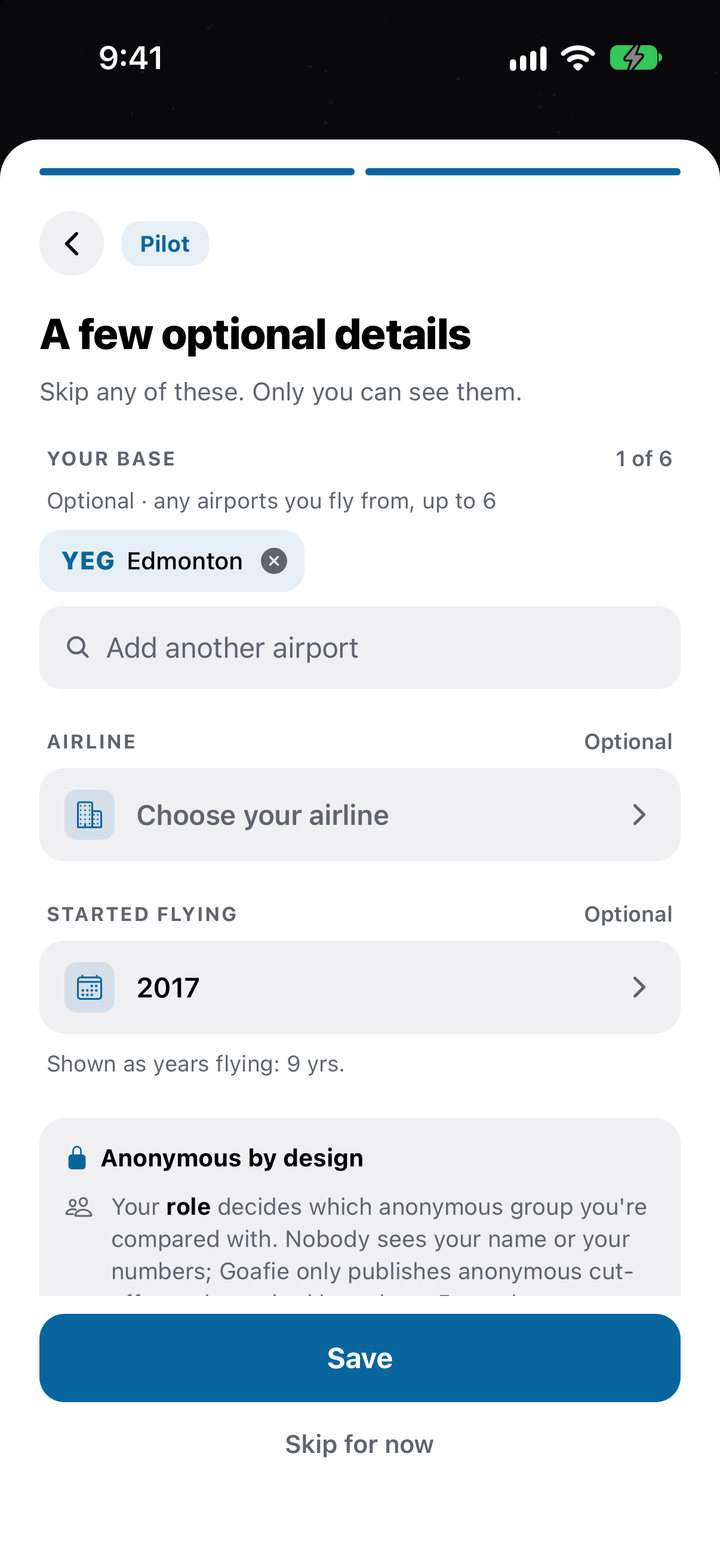
Pick pilot or cabin crew and you are ranked against that group instead, from the next nightly update. Until then your rank is marked Provisional. Pilots and crew can also add a few optional details: the airports you fly from (up to six), your airline, and the year you started flying. Only you can see them. They are never shown to other members, never appear on your public profile, and never show up in search or friend suggestions.
You can change any of it later from the Me tab, in the strip under your My Travelogue card, or with Edit on the ranking screen. Your role is self-reported, not verified, and you can change your role or airline up to four times a year.
What gets measured
Goafie ranks five things: block hours, flights, distance, airports and countries. Each group leads with the three that suit it best.
- Pilots: hours, flights and airports
- Cabin crew: hours, flights and countries
- Travellers: distance, flights and countries
The ranking screen shows one row per measure, with a Top X% pill where you qualify and a Top half pill once you are in the top half. Underneath, a line tells you what it would take to reach the next tier, so you always know your next goal.
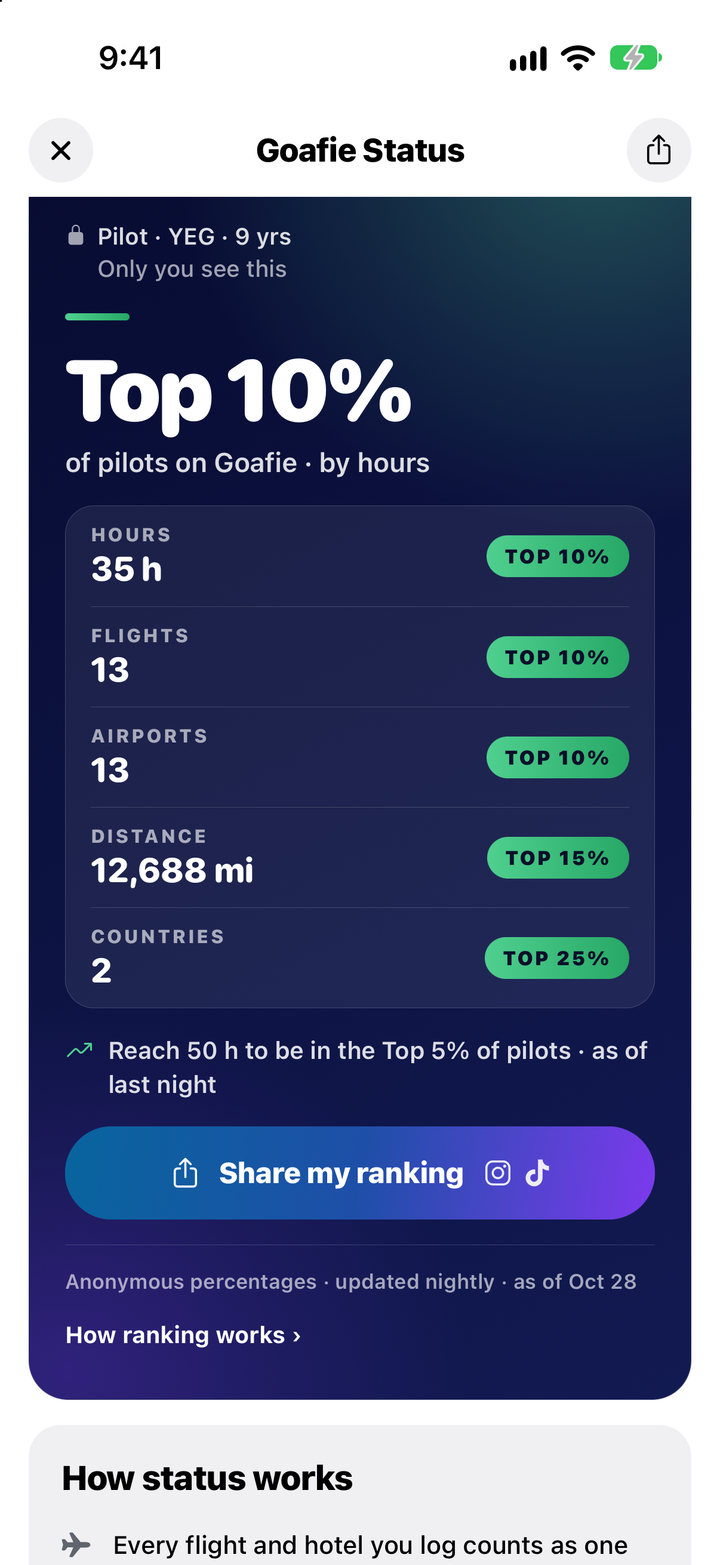
Only landed flights you added by flight number count, for the calendar year you are looking at. Private trips do not count, typed-in flights do not count, and hotel stays do not count. That keeps every rank backed by real flight data. In January you can flip between last year and this year.
How it stays anonymous
Once a night, Goafie works out a cut-off for each group and each measure, for example how many block hours it takes to be in the top 10% of pilots this year. A cut-off holds no names, no one’s totals and no member count. It is only published when at least five members reach it, and it is rounded up.
The comparison happens on your phone. It counts your own flights the same way Goafie counted everyone else’s, then checks your numbers against the cut-offs. Nobody else is shown your totals or your rank.
If your group is still small, there may not be a cut-off for it yet. Until there is, you are ranked among travellers, and the app tells you so.
Show it off, on your terms
If you land in the Top 25% or better, a Share my ranking button appears. It builds up to four story cards for Instagram Stories and TikTok: a summary, then one card for each of your group’s headline measures. Each one is sized to fit a story, with space left clear for the buttons and captions those apps put on top.
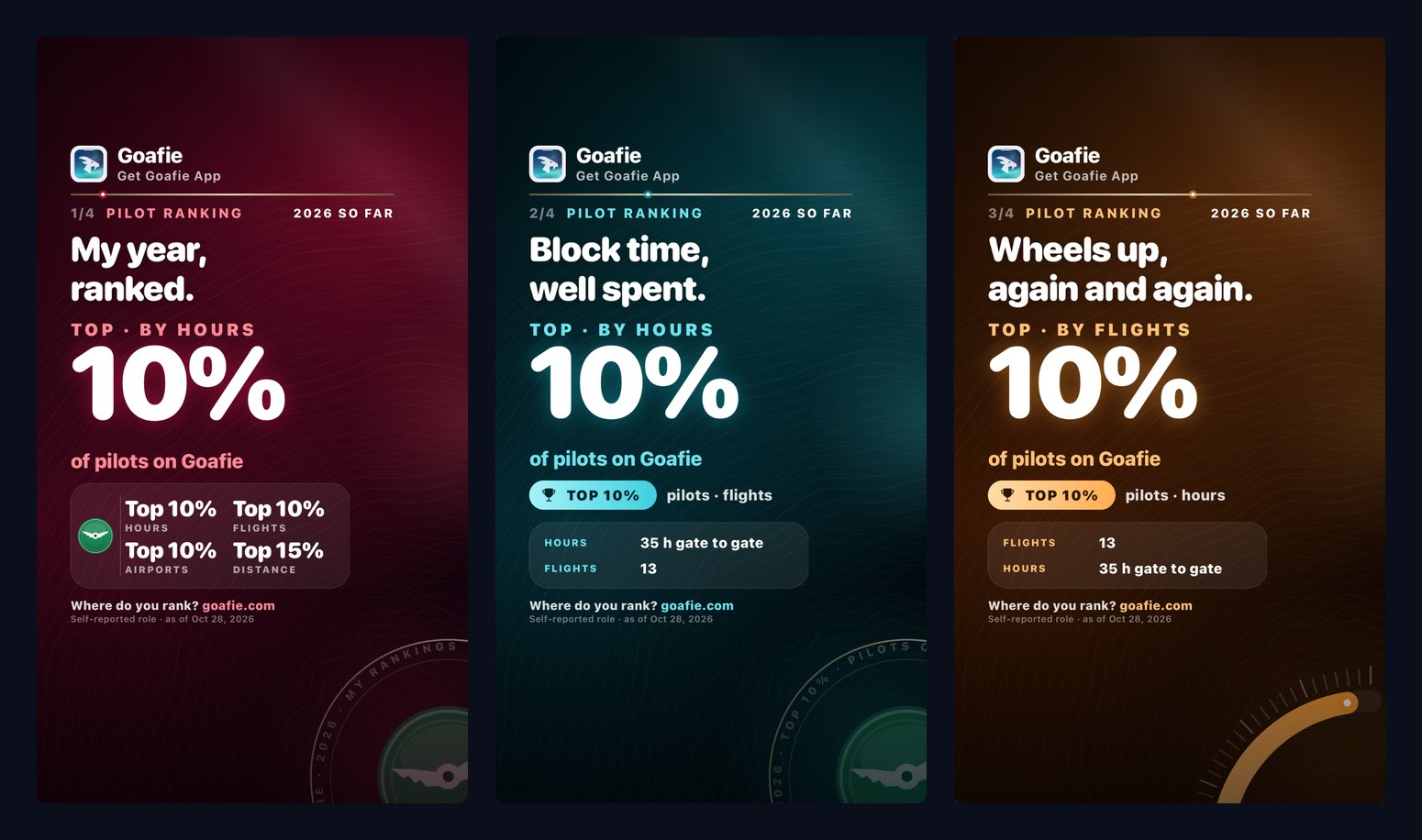
A rank appears on a card only when you choose to share it. Your airports, airline and years flying are off on every card until you switch them on, and years flying is shown as a number like “14 yrs,” never your start year. Private mode also hides your first name and handle. Every card says it is a self-reported role, and ends with “Where do you rank? goafie.com.”
Leaving is one switch
Open My Travelogue, tap your Status tier card, tap How ranking works and turn on Leave anonymous rankings. From the next nightly update you are left out of every ranking, and your ranks are hidden everywhere in the app. You do not need a ranking profile to do this, and you can turn it back on whenever you like. If you only want to clear your role, airports, airline and start year, choose Remove ranking profile instead and you will be compared as a traveller.
Frequently asked questions
Where do I find my ranking?
Open My Travelogue and tap your Status tier card. Your ranking panel is on the screen that opens, right under the tier badge, with an Edit button for your ranking profile.
Why am I not ranked yet?
You need to be signed in and to have at least one landed flight this year that you added by flight number. Rankings update once a night. If you just told Goafie you are a pilot or cabin crew, your rank is marked Provisional until the next update. And if your numbers are below every published cut-off, you will not have a Top X% yet.
Do typed-in flights count?
No. Rankings count only flights you added by flight number, so every rank is backed by real flight data. Typed-in flights still appear in your trips and on Goafie Status. To have a flight ranked, add it by flight number.
Can other members see my rank, role or airline?
No. Your ranking profile can be read only by you, and other members can read only the anonymous cut-offs, which hold no names. Your rank goes on a story card only when you choose to share it.
Is this the same as “Top X% of Goafie travelers” on Status?
No, that one is separate. It compares you with every traveller on Goafie, and the Benchmarks page explains how it works. Rankings compare you with your own group: pilots, cabin crew or travellers.
How often does it update?
Once a night. Goafie refreshes the cut-offs overnight, and the ranking screen shows the date your rank is as of.
Anonymous rankings are live now on iOS and Android in version 1.10.28. Get the app at goafie.com, and read the Goafie FAQ for the full rules.