
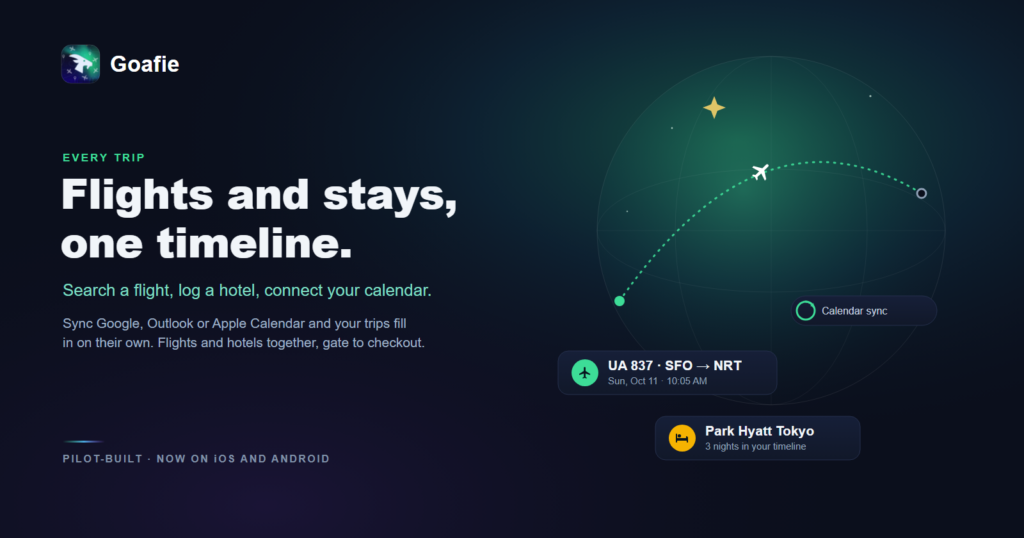
A single trip can live in five places at once: the airline’s confirmation email, a hotel booking, a calendar invite, a group chat, and a screenshot you took “just in case.” It holds together until something changes, and then you’re the one reconciling all five.
A single travel timeline fixes that: every flight and stay in order, in one place, updating on its own. Here’s how to keep all your flights and hotels in one itinerary, automatically.
Why your trip details are always scattered
No two bookings arrive the same way. Flights come as confirmation emails, hotels as separate receipts, and the rest as messages and mental notes. Nothing connects them, so the itinerary only really exists in your head, which is exactly where it fails you at 6 a.m. in an unfamiliar airport.
Let your calendar do the work
The lowest-effort way to build a timeline is to connect the calendar you already use. Goafie syncs with Google, Outlook, and Apple calendars, and it works both ways: bookings that land in your calendar populate your trip within a few minutes, auto-detecting flight numbers, dates, hotel names, and check-in times, and your Goafie trips can flow back out to your calendar too. No re-typing, no copy-pasting confirmation numbers. New bookings simply appear where they belong.
Add a flight or hotel in seconds
For anything your calendar misses, adding it should take seconds: search a flight number and the route, times, and terminal fill in; log a hotel by name and the nights slot into the timeline. The goal is a running record you can add to on the move, not a form you dread.
Hotels belong on the timeline too
Most flight trackers treat hotels as an afterthought, which is strange, because the stay is half the trip. A real companion puts the hotel on the timeline right after the flight that got you there, so a three-night stay in Tokyo sits in sequence with the flight into Narita, not in a separate app you have to remember to open.
When to add by hand
Some plans never arrive in a tidy format: a train, a ferry, a friend’s spare room, the restaurant you booked over the phone. A good timeline lets you add these by hand so the whole trip is complete, not just the parts that came with a confirmation email.
One timeline, gate to checkout
Once it’s all in one place, the payoff is calm: you can see the whole trip in order, know what’s next without digging, and hand the right detail to the right person at the right moment. Goafie pulls flights and stays into one timeline, whether you searched them, logged them, or synced them from your calendar, and it runs on both iPhone and Android, so your plans stay together from the gate to checkout.
Put your flights and hotels on one timeline, free.
Frequently Asked Questions
Is Goafie available on Android?
Yes. Goafie is cross-platform, available on both Android and iOS from day one. Unlike Flighty, which remains iOS-only, Goafie was designed to work natively on both platforms with the same features and experience.
How does Goafie compare to Flighty?
Flighty is an excellent flight tracker for Apple users. Goafie goes beyond flight tracking to include photo pooling, membership management, better trip privacy settings, AI-powered calendar sync, hotel tracking, travel memories with photo sharing, and a travelogue with achievement tiers — all available on both Android and iOS.
How does Goafie compare to Aviate?
Goafie differentiates by offering a broader travel experience: bidirectional calendar sync, hotel management, travel memories, cross-platform parity between iOS and Android, and a focus on the full trip lifecycle rather than flight tracking alone. Goafie is also more thoughtfully designed by professional team with decades of experience in tech and aviation.
Is Goafie free?
Goafie offers core features for free with a paid premium tier for power travelers.
Can I import my flights from other apps?
Yes. Goafie supports importing flights via calendar sync, boarding pass scanning, and manual flight number entry with automatic data enrichment. We are also working on a data importer feature for more efficient platform migration.
Google Android Play Store:
Apple iOS App Store: