
Every group trip has the same moment at the gate: one person scrolling through six boarding-pass PDFs while the line backs up behind them, battery at 17%, the airline app spinning. Travelling together is far better when the logistics aren’t glued to a single, stressed-out organiser.
Here’s how to handle group travel boarding passes, pool photos from the same flight, and keep everyone in sync, without handing over your whole account.
Why group travel logistics fall apart
The details of a group trip usually live in too many places: one person booked the flights, another has the hotel, the confirmations are buried in three inboxes, and everything else is somewhere in a group chat. It works right up until a gate changes or someone’s phone dies. And it gets worse when half the group is on iPhone and half on Android, because the polished all-in-one travel apps have mostly been iPhone-only.
Everyone’s boarding pass on one phone
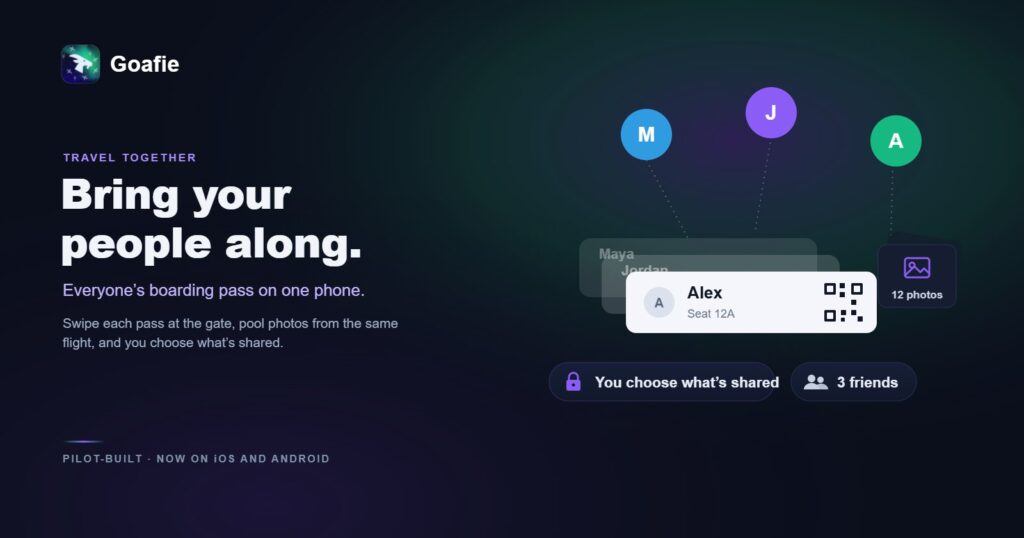
The simplest fix is to keep the group’s boarding passes together, so any one person can swipe each pass at the gate. It’s ideal for families travelling with kids, friends on a trip, or anyone who’s ever been handed a stack of printouts to hold. Each traveller still owns their own pass. It’s just reachable from one screen when it counts.
Pool your photos from the same flight
By the end of a trip the best photos are spread across four cameras and nobody’s are in one place. Pooling photos from the same trip into one shared journal beats three overlapping group chats: everyone contributes, everyone gets the full set, and no one is chasing down “that one photo from dinner.” The trip becomes something you look back on together, not just a folder you forget.
You choose what’s shared
Sharing logistics shouldn’t mean sharing everything. The rule worth insisting on: share a seat, not your account. Good group-travel tools let you share a single boarding pass or trip while keeping your other plans, payment details, and history private. If an app makes you hand over more than that, it’s asking for too much.
Doing it in one app
That is roughly the approach Goafie takes to travelling together: carry the whole group’s boarding passes on one phone and swipe each at the gate, pool everyone’s photos from the same trip into one shared journal, and share a specific trip rather than your entire account. It runs on both iPhone and Android, so it works no matter what phone each person carries, which is usually the thing that breaks group setups in the first place.
A quick group-travel checklist
- Agree on one place to keep flights and stays before you book.
- Get every boarding pass onto one phone for the airport.
- Start one shared photo journal per trip, not per chat.
- Confirm what each person is (and isn’t) sharing.
- Screenshot the key confirmations in case of no signal.
Bring your whole group along, free.
FAQ
Can I hold someone else’s boarding pass on my phone?
Yes. Apps built for group travel, like Goafie, let you carry the whole group’s passes on one device and swipe each at the gate, which is especially useful for families and friends travelling together across both iPhone and Android.
How do we share photos from the same trip without a group chat?
Use a shared album or journal tied to the trip or flight. Everyone adds their photos to one place, so the full set is available to the group without forwarding images back and forth.
Is it safe to share my itinerary with friends?
It is, as long as the tool lets you control the scope. Share the specific trip or pass rather than your entire account, and keep everything else private.